How to welcome your Roomba Combo® robot to its new home
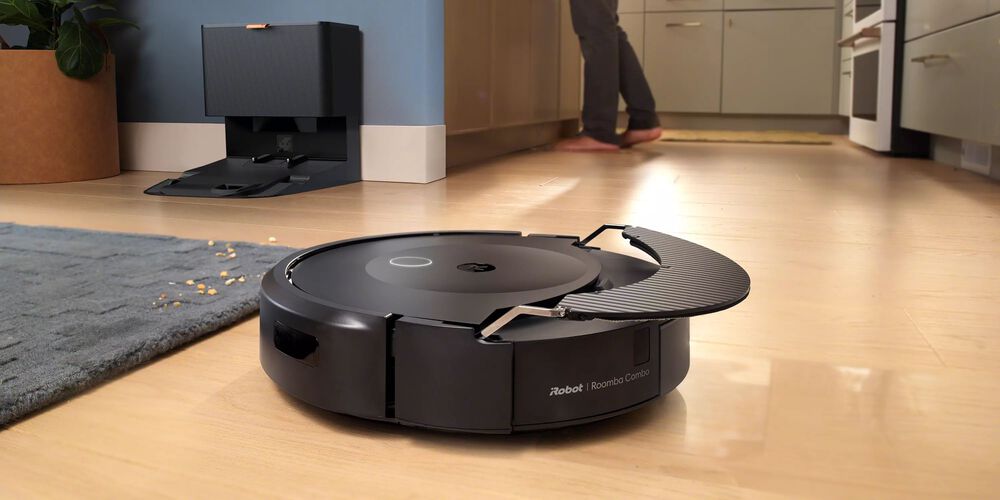
1. Pick the perfect spot for your dock
Position your dock on hard surface flooring and not in direct sunlight. Make sure the area around the dock is clear of clutter so the robot can move in and out of the dock efficiently.
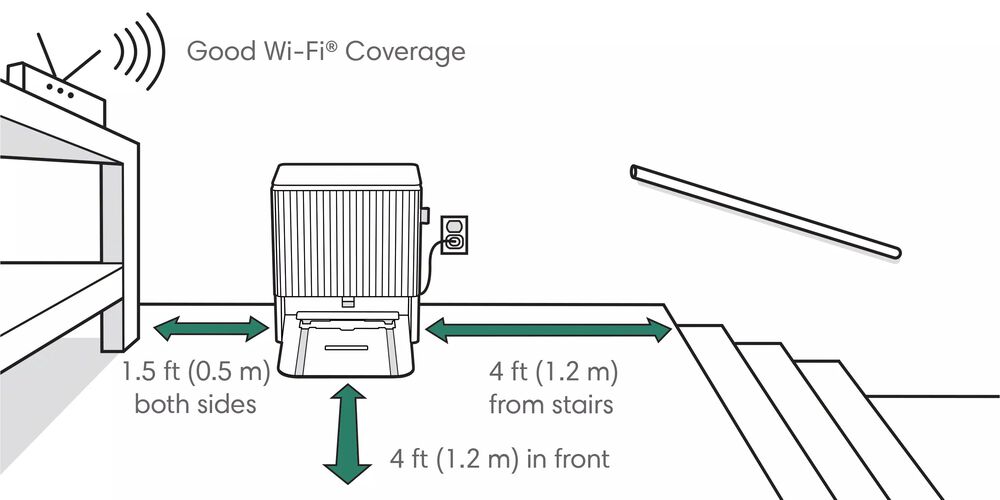
2. Give it plenty of space
The dock requires close proximity to an electrical outlet and good Wi-Fi® coverage. It should also be set at least four feet away from any stairs, plus have ample space on both sides and in front for your robot to navigate effectively.
Additional steps before your robot arrives
3. Name your robot
Did you know you can personalize your robot by giving it a name during set up? Start brainstorming what you want to name your robot. If you decide you want to change it at anytime you can update it directly in the iRobot Home App. Learn more here https://homesupport.irobot.com/s/article/8237
4. Clear the way for mapping
For an enhanced mapping experience we recommend a quick pick up before you run your first mapping mission. While your robot avoids general clutter such as shoes or toys while cleaning, it's recommended you keep your floors clear to allow your robot to map as much of the desired area as possible with minimal intervention.
5. iRobot Dedicated Support Team
As a valued Roomba Combo® 10 Max robot owner, you have exclusive access to a Dedicated Support Team to answer any questions and provide help should you need it. Call 844-606-3773 when you are setting up your product or for further assistance.
6. Bookmark our support site
Find answers on our support site. Search articles for common questions or get more information on using your product. Learn more here https://homesupport.irobot.com/s/
